Français
 Nederlands
The best free tools for photo editing
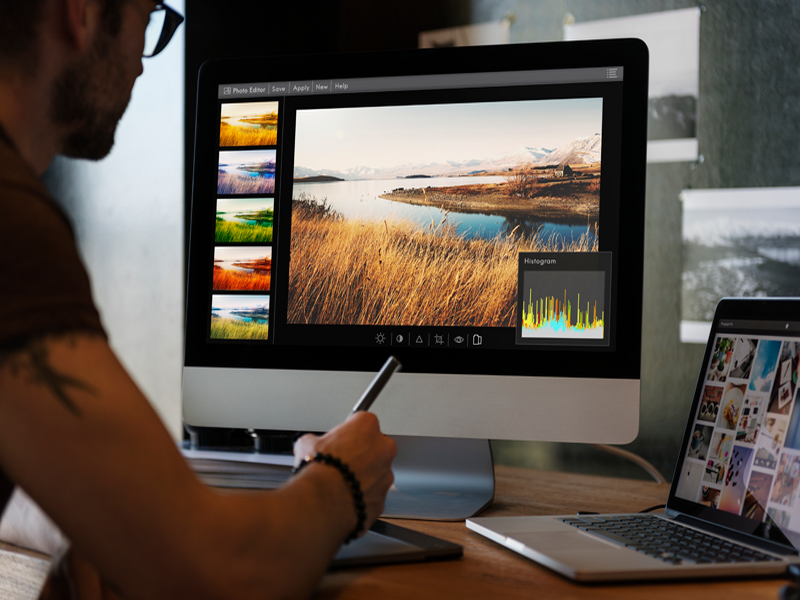
Photo editing is an essential part of the digital age today, whether you are a professional photographer or simply want to optimize your vacation snapshots for social media. Many people think that expensive software packages are required, but the reality is that excellent alternatives are available that are just as good as the established industry names. This free software often offers an impressive range of features, from basic corrections to advanced techniques such as layers, masks, and complex color grading.
The great advantage of these open-source or web-based solutions is the accessibility and the ease with which one can get started. Whether you are looking for a program like GIMP for extensive image editing, or prefer using an online tool that runs directly in your browser without needing installations, the possibilities are virtually limitless. By lowering the threshold for quality editing, these tools allow everyone to unleash their creativity without needing a prior financial investment.
Efficient workflow for optimal results
A successful workflow begins with choosing the right tool for your specific needs. For those looking for powerful photo editing at the desktop level, GIMP remains the gold standard within the free world. It supports almost all common file formats and offers a similar interface to well-known commercial packages. However, if you prefer a more minimalist approach, online editors like Photopea or Pixlr are excellent choices. These platforms offer an intuitive interface that is perfectly suited for quick retouches, removing backgrounds, or adding artistic filters.
Besides the choice of software, the process of post-processing is crucial for the final result. Always start with the basics: adjust exposure, contrast, and white balance before starting more complex interventions. It is wise to always work with a copy of your original file so you never lose data while experimenting. By working step-by-step, you not only get to know the features of your chosen software better, but you also develop your own visual style that is consistent across all your projects.
Tips for quality and retouching
Beyond the technical side, there are some essential tips that can help you significantly improve the quality of your photos. When editing, pay close attention to sharpness and noise in the capture. Many free programs have handy algorithms to reduce graininess without losing details. Furthermore, cropping a photo is a powerful tool to strengthen the composition; by using the well-known rule of thirds, you can transform an average photo into a visually appealing image that immediately catches the viewer's attention.
Finally, do not forget to experiment with different export settings. Depending on what the photo is intended for, you must carefully choose the resolution and compression. A photo for a website requires different settings than a print for the wall. By mastering these aspects, you will find that you can achieve results with free tools that are barely distinguishable from professional work. Ultimately, it is not about the price tag of the program, but about your eye for detail and the willingness to practice with the many creative options available to you.